

Welcome to Lesson 3 in the Battery Monitoring playlist of the EXPLORIST.life Mobile, Marine, and Off-Grid Electrical Academy.
Today, we are going to cover how to troubleshoot common battery monitor issues. If your battery monitor isn’t installed or programmed correctly, it can create all kinds of confusing readings—and this lesson will walk you through the most frequent problems, why they happen, and how to fix them.
Let’s get started.
Battery Monitor Troubleshooting – VIDEO


1. Understanding Shunt Orientation and Connections

Battery Minus vs. System Minus
A shunt is directional, meaning it has two distinct sides:
- Battery Minus – connects only to the battery bank.
- System Minus – connects to everything except batteries.
A simple rule of thumb:
- If it is a battery → it goes on the battery side.
- If it is not a battery → it goes on the system side.
Common Incorrect Installations
One of the most common installation mistakes is placing a chassis ground on the battery side of the shunt. This results in inaccurate readings and improper performance.
Other items that should always be on the system side include:
- Loads & chargers
- MultiPlus inverter/chargers
- DC-DC chargers
- Chassis grounds
- Anything that is not a battery
2. Shunt Installed Backwards

If the shunt is physically installed in reverse—battery side facing the system and system side facing the battery—the current reading will be reversed.
Symptoms include:
- Showing charging when you are using power
- Showing discharging when you are actually charging
Because different batches of shunts sometimes have reversed labeling, ALWAYS FOLLOW THE LABEL PRINTED ON THE SHUNT not the orientation shown in diagrams.
Fix Without Re-Wiring
Victron now includes an option to reverse the current direction in settings:
- Set current direction to Normal or Reverse depending on your installation.
This allows you to correct a backwards installation without touching a wrench.
3. Incorrect Shunt Programming

Programming errors are the second most common issue seen in support requests.
Example Problem
If your shunt uses a default charged voltage of 13.5V, but your solar charge controller charges to 14.4V, the shunt will mistakenly think your battery is full at 13.5V—even though it isn’t.
How to Correct It
On a 12V lithium system, follow this rule:
- Charged Voltage = Absorption Voltage – 0.2V
Example:
- Absorption: 14.4V
- Charged voltage: 14.2V
This ensures the shunt recognizes a true full charge.
4. The “Double Dash” State of Charge (— —)
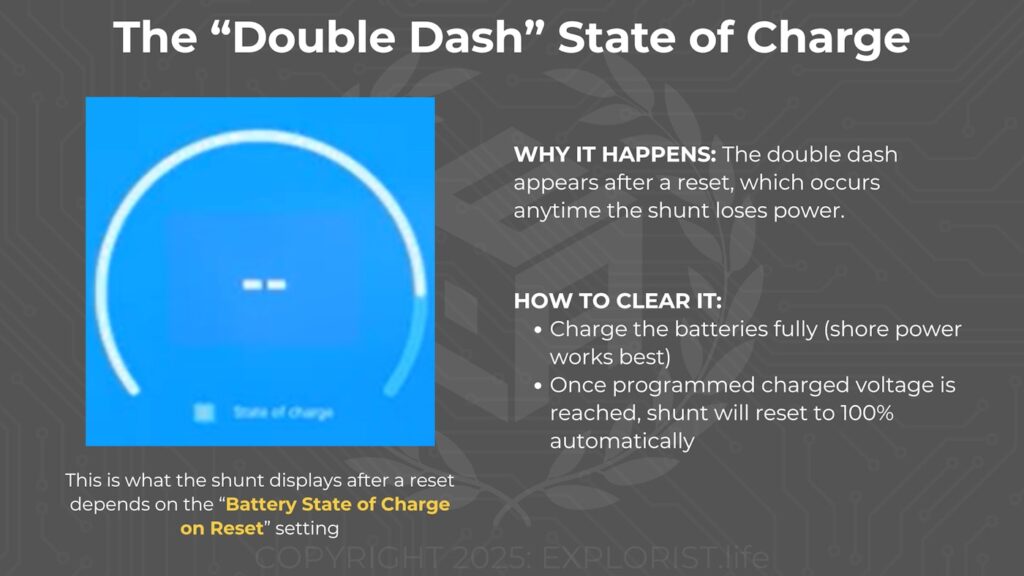
This is the number-one most common issue reported by users.
Why It Happens
The double dash appears after a reset, which occurs anytime the shunt loses power—such as turning off a master disconnect switch.
What the shunt displays after a reset depends on the “Battery State of Charge on Reset” setting.
Setting Options
- Set to 100% — Not recommended
- Clear — Recommended
- Shows “— —” after a reset.
- Tells you the shunt does not know the true state of charge.
- Keep State of Charge
- Remembers the last known percentage.
- Can be inaccurate during long storage periods due to natural battery self-discharge.
Clearing the Double Dash
To restore an accurate reading:
- Simply charge the batteries fully.
- Shore power works best, especially if conditions (e.g., cloudy weather) limit solar charging.
- Once the programmed charged voltage is reached, the shunt will reset to 100% automatically.
5. Additional Programming Notes
There are many technical shunt settings tied to battery type and manufacturer specifications. To simplify setup, EXPLORIST.life provides:
- A comprehensive Programming Guidebook (for 12V, 24V, and 48V systems)
- A remote programming service where a technician can configure your system via Cerbo GX
These resources remove the guesswork and help ensure your system is set up correctly from the start.
Conclusion
This lesson wraps up the Battery Monitoring chapter of the Academy. You now understand:
- How to properly install and orient a shunt
- How to avoid incorrect system-side and battery-side wiring
- How to correct reversed readings
- How to properly program the shunt
- What the “double dash” means and how to reset it
Next, we will dive into inverters, inverter/chargers, transfer switches, and everything related to that part of your electrical system.